A 15-minute iPhone reset for less screen time
Willpower at 10 p.m. rarely beats an app designed to keep you scrolling. Change six settings and one charging spot on your own iPhone once so the phone stops grabbing your eye every time you pick it up.
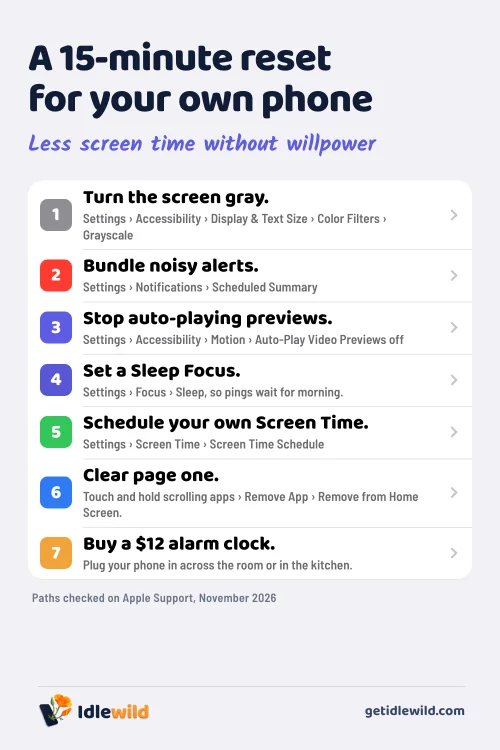
- Turn the screen gray. Open Settings › Accessibility › Display & Text Size › Color Filters, switch on Color Filters and select Grayscale. Without bright red badges and glossy thumbnails, the phone feels like a plain tool again.
- Bundle noisy alerts. Open Settings › Notifications › Scheduled Summary, turn it on, and put shopping, news and social apps into two daily summaries so only real people interrupt your afternoon.
- Stop auto-playing previews. Open Settings › Accessibility › Motion and switch Auto-Play Video Previews off so previews in apps like the App Store stay still until you tap them.
- Set a Sleep Focus. Open Settings › Focus › Sleep to silence overnight alerts and quiet your Lock Screen on your own bedtime schedule.
- Schedule your own Screen Time. Open Settings › Screen Time › Screen Time Schedule, turn on Schedule, and choose a quiet evening window where only calls, texts and essentials stay open.
- Clear page one. Touch and hold every endless-scroll app on your first Home Screen, tap Remove App, then tap Remove from Home Screen. The app stays in your App Library when you actually want it, without sitting under your thumb.
- Buy a cheap alarm clock. Plug your phone in outside your bedroom, on the same kitchen shelf as the kids' devices.
Sources, checked on Apple Support November 20, 2026: Color Filters · Scheduled Summary · Auto-Play Video Previews · Sleep Focus · Screen Time Schedule · Remove from Home Screen
Log your screen time for 30 days
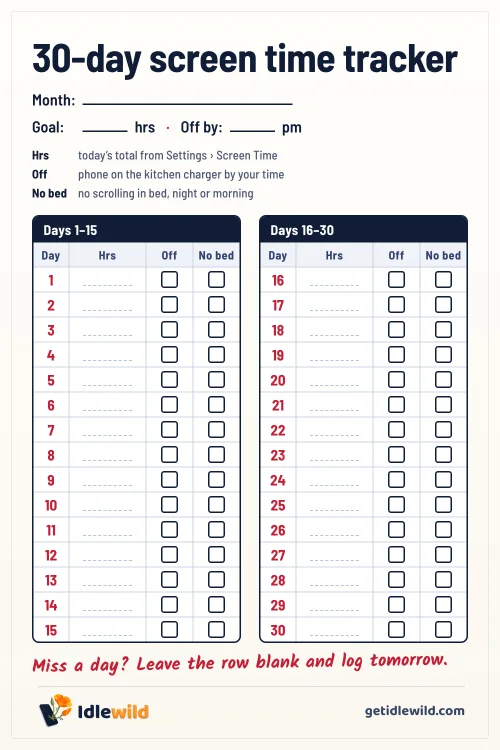
Trying to overhaul every phone habit on Monday usually lasts until Wednesday. Print the 30-day screen time tracker, write your month and daily goal at the top, and keep a pen beside it on the kitchen counter.
- Write down today's hours (Hrs). Glance at Settings › Screen Time each evening and jot down the number so you actually see where the week went.
- Check off "Off." Your phone hits the kitchen charger before your target cutoff, with a basic alarm clock in the bedroom.
- Check off "No bed." Zero scrolling under the covers at night or before your feet hit the floor in the morning.
- Miss a day cleanly. Leave the row blank, skip the guilt, and log tomorrow. Thirty honest rows teach more than a perfect streak that dies on Tuesday.
30 things to do instead of being on your phone at night
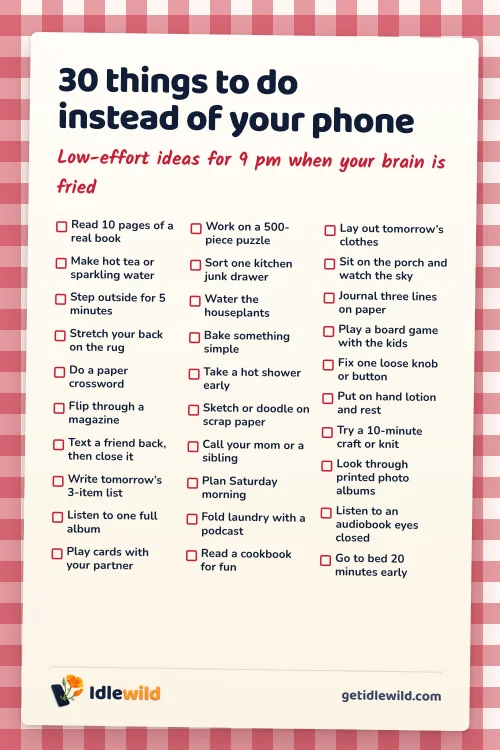
Putting your phone down after the kids are in bed only works when something easy is already within arm's reach. Keep this card on the coffee table for the evenings when your brain is already tired.
- Five-minute resets. Make hot tea or sparkling water, step onto the porch for five minutes, stretch your back on the rug, water the houseplants, or put on hand lotion and sit still.
- Low-effort reads. Keep a paperback right beside your chair and read ten pages, flip through a real magazine, do a paper crossword, or read a cookbook for fun.
- Hands-busy wind-downs. Work on a 500-piece puzzle, fold laundry with a podcast or one full album, sketch on scrap paper, knit, or sort one kitchen junk drawer.
- With another person. Play a quick round of cards with your partner, call your mom or a sibling, play a board game with the kids, or look through printed photo albums.
- Tomorrow's calm. Write tomorrow's three-item list on paper, lay out clothes, plan Saturday morning, or go to bed twenty minutes earlier.
Why do parents' own phone habits matter to kids?
Both the American Academy of Pediatrics and the American Psychological Association highlight adult modeling in their family media guidance. Kids notice how grown-ups handle notifications, dinner interruptions and late-night scrolling long before they get a phone of their own.
Picking one visible rule that everyone in the house follows, like phones in the basket at dinner or charging in the kitchen overnight, makes house rules feel like a shared family habit instead of a lecture aimed only at the kids.
Sources: AAP, Your Child's First Phone, 2026 · APA Health Advisory on Social Media Use in Adolescence, 2023
The same turn-down, built for your kid's phone
If you have felt how much calmer your own phone gets once bright colors, alerts and endless feeds step back, you already understand what your kid is up against.
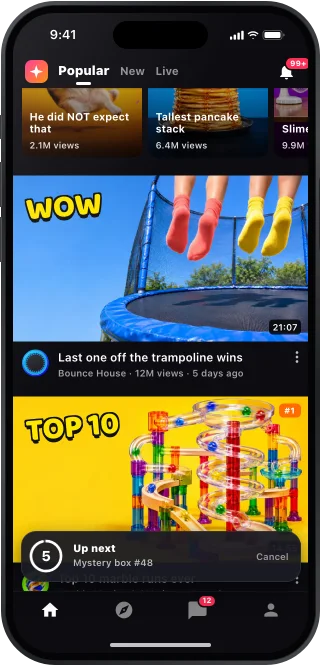
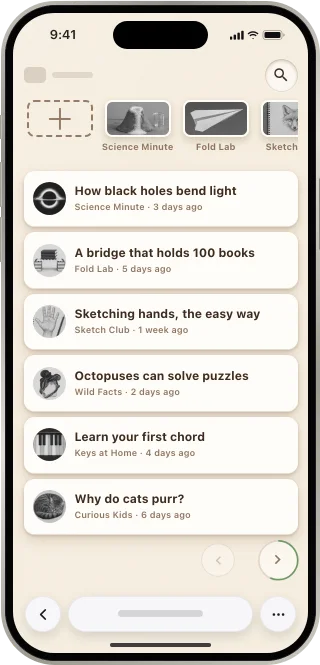
Idlewild is an iPhone and iPad app we're building that takes the pull out of your kid's device and keeps it out: pages that end, gray thumbnails for kids who can't read yet, no autoplay, and schedules built for real family life.
 Idlewild