How to convince your parents for a phone
Free 3-page PDF. Print it and hand it to your mom or dad.
Fill out the one-page pitch and hand it to your mom or dad
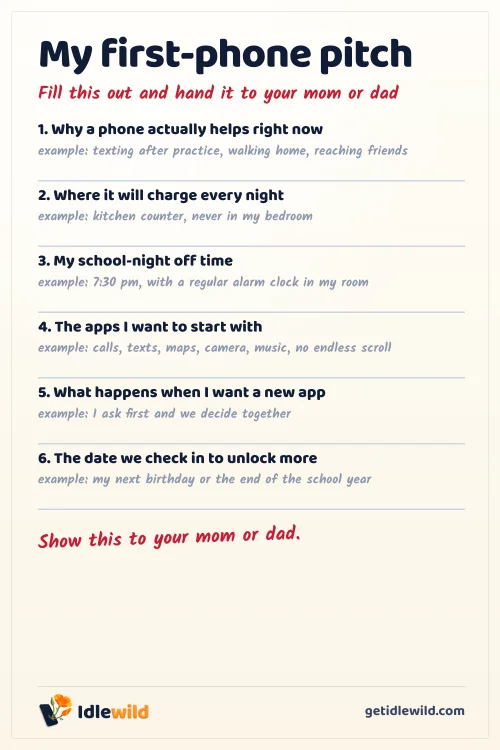
Asking "can I get a phone" ten times a week usually makes the answer slower. Walking up to dinner with a real plan already written out shows you actually thought through the parts your parents worry about. Print page one, fill in every line honestly, and hand it to them.
- Why a phone actually helps right now. Be specific: calling for rides after practice, walking home from school, coordinating between houses, or keeping up with friends.
- Where it will charge every night. Offer the kitchen counter or another shared spot outside your bedroom, and use a normal alarm clock to wake up.
- Your school-night off time. Pick a real cutoff time on school nights so nobody has to argue at 9 p.m.
- The apps you want to start with. Start with the useful stuff: calls, texts, camera, maps and music, without the endless-scroll feeds that eat whole afternoons.
- What happens when you want a new app. Offer to use Ask to Buy so every new app is a quick yes-or-no conversation together.
- The date you check in to unlock more. Put your next birthday or the end of the school year on the calendar so everyone knows when new freedoms open up.
Show this page to your mom or dad. This page asks you for nothing: no email, no name, and no sign-up.
Answer the 5 things parents actually worry about
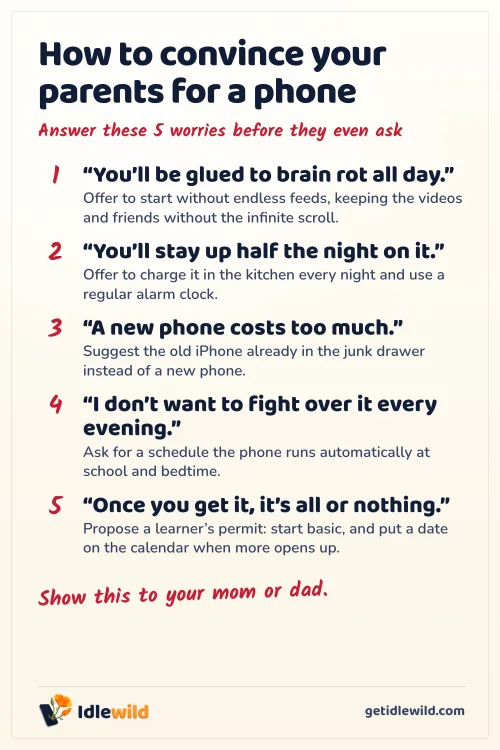
Most parents hold off on a first phone because they know what endless feeds do to their own attention, and they do not want to spend every night taking your phone away. Answer all five worries upfront.
- Brain rot taking over every afternoon. Tell them you are cool starting without bottomless scroll feeds, keeping the videos you actually look up and your friends' texts without getting stuck watching junk for three hours.
- Staying up half the night on it. Offer to leave the phone charging in the kitchen every night so bedtime is settled from day one.
- Buying an expensive new phone. Suggest starting with a hand-me-down iPhone from the drawer instead of buying brand-new hardware or a weird plastic kid phone.
- Fighting over it every evening. Ask for a built-in Screen Time Schedule so the phone turns fun apps off automatically for school and bedtime, taking your parents out of the bad-guy role.
- Feeling like it is all or nothing. Pitch a learner's permit: you start with the basics, prove you can handle them, and unlock more on a schedule you both know in advance.
The first-phone learner's permit: how it opens up
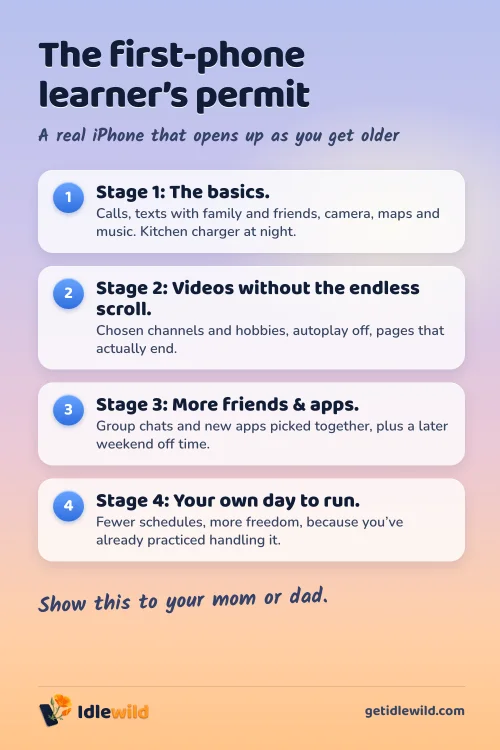
Nobody hands a ten-year-old car keys, and nobody wants a locked-down toy phone either. A learner's permit starts with a real iPhone and adds more freedom as you grow.
- Stage 1: The basics. Calls, texts with family and friends, camera, maps and music, with the kitchen charger at night.
- Stage 2: Videos without the endless scroll. Chosen channels and hobbies, autoplay switched off, and pages that actually stop.
- Stage 3: More friends and apps. Group chats, new apps chosen together, and a later weekend cutoff as you show you can handle it.
- Stage 4: Your own day to run. Fewer schedules and more independence, because you already practiced managing a real phone without the algorithm running the show.
Show this to your mom or dad when you hand them your pitch.
For the parent reading this
If your kid just handed you this page, they are asking for a real iPhone without the bottomless scroll, and without asking you to read their private messages or become the nightly phone police.
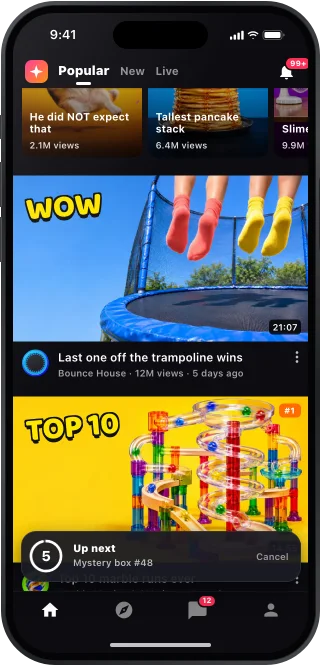
Idlewild is an iPhone and iPad app we're building for families at this exact handoff. It takes the pull out of the apps your child uses (pages that end, no autoplay, calm thumbnails), leaves their texts private, runs on the old iPhone in your drawer, and eases off as they grow.
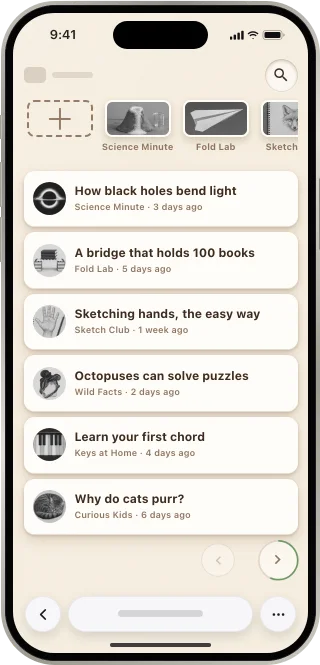
 Idlewild
Parents can read the full iOS 27 setup steps and join the waitlist on our first-phone parent guide.