Chores and daily schedules that actually hold
Free 3-page PDF. No email needed.
Chore chart ideas for tweens: an earn-it screen time chart
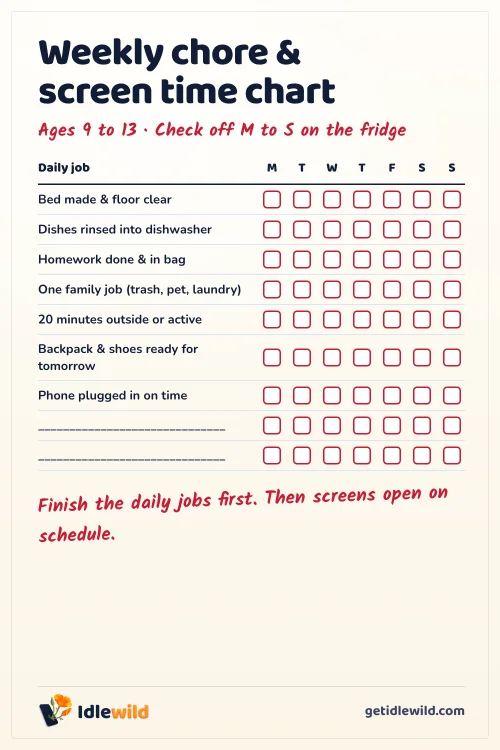
A chore chart for a 9-to-13-year-old works best when it tracks everyday independence instead of tiny sticker tasks. Print this Monday-to-Sunday chart, tape it to the fridge, and let daily jobs finish before the afternoon screen window opens.
- Bed made and floor clear. A two-minute reset that starts the morning cleanly.
- Dishes rinsed into the dishwasher. Taking care of what they used without being called back to the kitchen.
- Homework done and back in the bag. Completed and packed so nobody scrambles before the bus.
- One family job nobody redoes behind them. Trash and recycling, unloading the dishwasher, feeding pets, or folding their own laundry.
- 20 minutes outside or active. Movement built into every weekday before sitting down with a device.
- Backpack and shoes ready for tomorrow. Packed before lights out so mornings run calmer.
- Phone plugged into the kitchen charger on time. Tracked right beside the other daily habits until it becomes automatic.
A fill-in daily schedule for breaks and school days
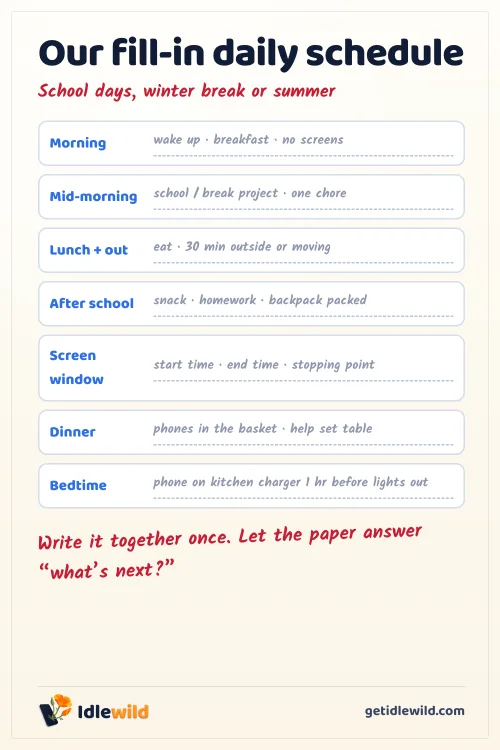
Every family's bell times, sports practices and break weeks look different. Print the blank visual schedule, sit down with your kid for five minutes, and write in your family's real blocks so the sheet answers "what's next?" all week.
- Morning. Wake-up time, breakfast and getting dressed, with screens staying off until everyone is ready.
- Mid-morning. School hours on weekdays, or one morning chore and a hands-on project during winter and summer breaks.
- Lunch and outside time. Eat, then spend thirty minutes moving outside, even when it is cold.
- After school. Snack, decompressing, homework and repacking the bag.
- Screen window. Write down the exact start time, end time and agreed stopping point before screens open.
- Dinner. Phones in the basket, everyone at the table, helping cook or clear up.
- Bedtime. Phone plugs into the kitchen charger an hour before lights out, followed by shower, reading and sleep.
A realistic winter break schedule for kids 9 to 12
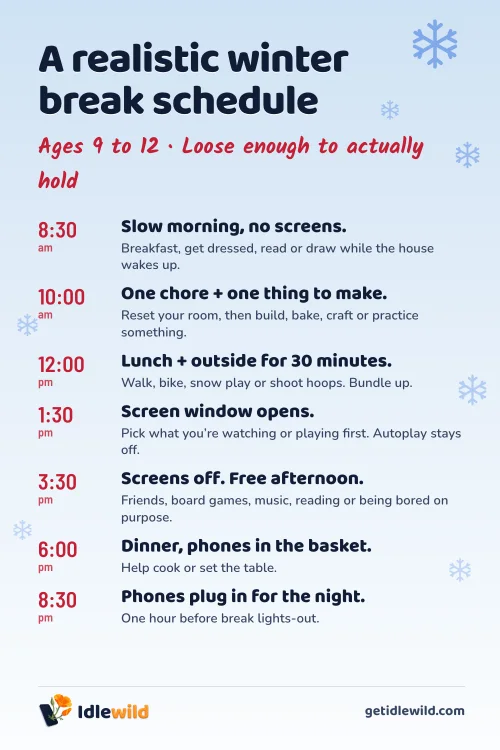
Winter break removes the school bell that usually structures half the day, making it easy for screens to start at 7:15 a.m. and drift until dinner. This sample rhythm leaves plenty of loose time while keeping mornings and evenings steady.
- 8:30 a.m. Slow morning, no screens. Breakfast, getting dressed, reading or drawing while the house wakes up.
- 10:00 a.m. One chore and one thing to make. Reset the room, then build, bake, craft or practice an interest.
- 12:00 p.m. Lunch and 30 minutes outside. Walk, bike, shoot hoops or play in the snow.
- 1:30 p.m. Screen window opens. Pick what they are watching or playing first, with autoplay turned off.
- 3:30 p.m. Screens off, free afternoon. Friends, board games, music, reading or solving their own boredom.
- 6:00 p.m. Dinner with phones in the basket. Help prep or set the table.
- 8:30 p.m. Phones plug in for the night. One hour before the break lights-out time, then walk bedtime back 15 minutes every other day before school resumes, as a Johns Hopkins sleep specialist suggests.
Sources: Luis Ortiz / Johns Hopkins Medicine, How to Prepare for Your Child's School Bell to Ring, 2025
When should a family reopen its screen schedule?
The American Academy of Pediatrics recommends revisiting your family media plan whenever the season shifts, such as the start of a new school year, summer break or holiday breaks. Reopening the schedule on purpose lets you adjust bedtimes, chores and app freedoms together before old habits drift.
Talking through the reason for a schedule and hearing your child's view gives them ownership over the routine. When kids know what stays steady and when the next review date sits on the calendar, the schedule feels predictable instead of arbitrary.
Sources: AAP, How to Make a Family Media Plan, 2026 · Valkenburg et al., Journal of Communication, 2013
A schedule that survives a sick day
Most device schedules fall apart on the first sick day, road trip or weekend at Grandma's. You turn the rules off by hand to get through the afternoon, and putting them back on Monday becomes a fight.
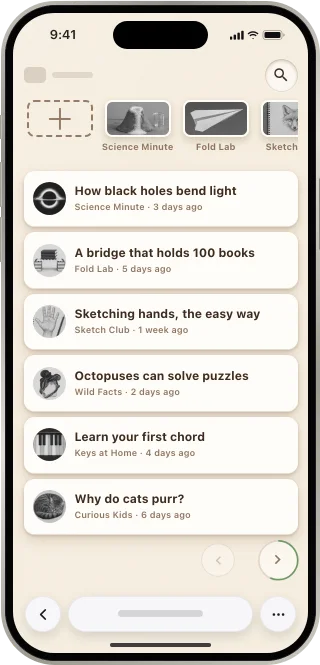
Idlewild is an iPhone and iPad app we're building with schedules that expect real life: school rules apply at school, trips and school breaks get their own planned periods, and saved places like Grandma's carry their own rules automatically.

 Idlewild